
MeloRep Desk: your repertoire on the big screen
MeloRep Desk is the desktop app for MeloRep. Prepare your songs at your desk with a full keyboard and a big screen, then take them on stage with MeloRep on your phone or tablet.
Free download. Requires the MeloRep app on iPhone, iPad or Android.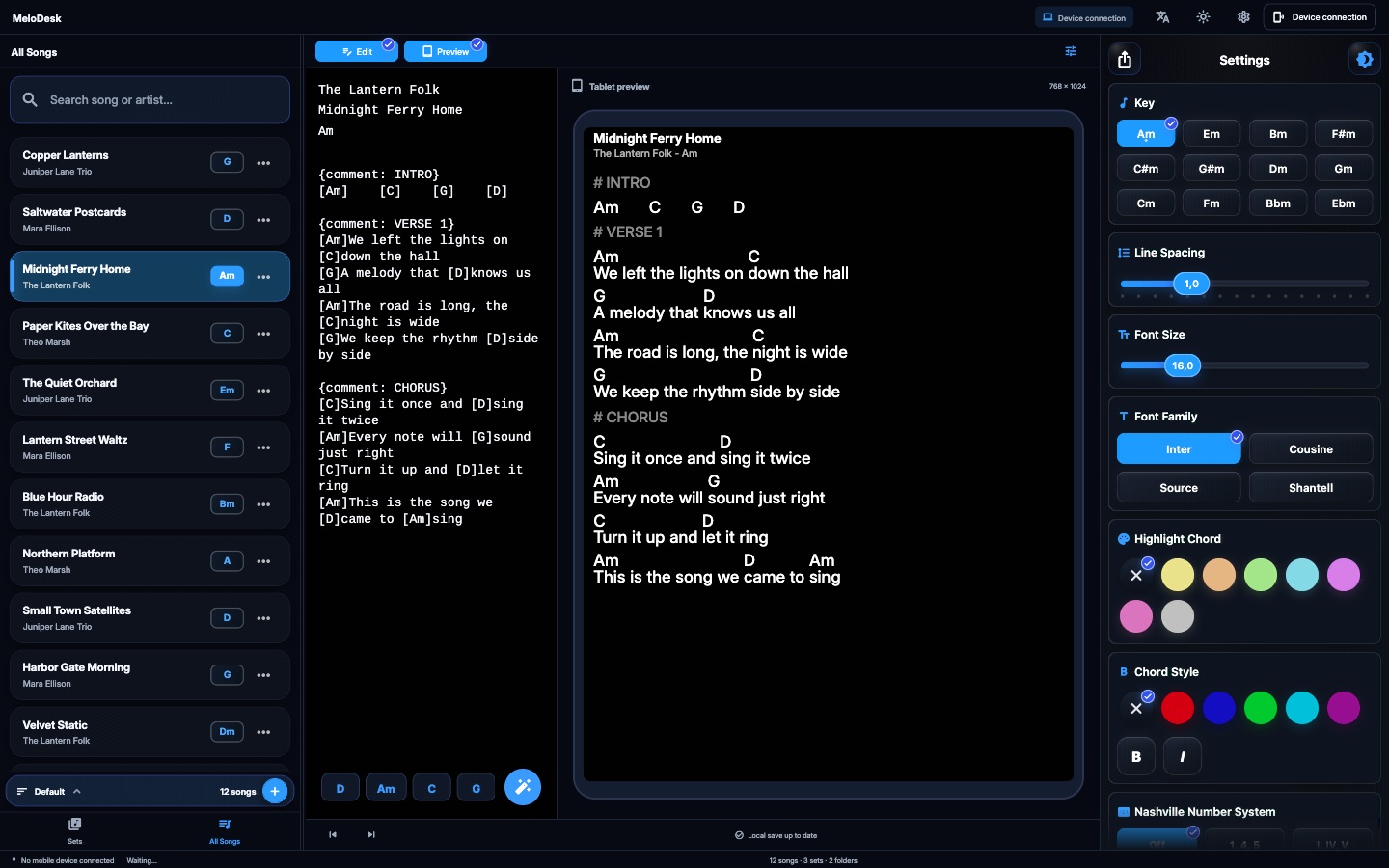
Two ways to connect
Choose how MeloRep Desk reaches your library.
Connect your phone
Pair MeloRep Desk with the MeloRep app on the same Wi-Fi using a QR code and manage all your songs, sets and folders from your computer. The connection is encrypted, your library stays on your own devices and every change is saved on your phone.
Open from MeloRep Cloud
Sign in with your MeloRep account and open your cloud library directly, without your phone, on up to 2 computers. Changes reach your phone and tablet on their next sync. Phone pairing works too.
Built for preparing your shows
Edit with a live preview
Edit lyrics and chords side by side with a live preview at the real size of your phone or tablet.
Song settings
Change the key, font, line spacing and chord colours of each song, with Nashville numbers when you need them.
Sets and folders
Build and reorder setlists, add notes and dividers, and organise them in folders.
Import songs
Bring in songs from chord websites, TXT, ChordPro, ZIP or Word files.
Export sets
Create printable setlists, standalone HTML repertoires, TXT files and MeloRep set files from your computer.
Search, themes and languages
Search your whole library instantly. Light and dark themes, 18 languages.
Managing your library with your phone requires Pro. Opening it without a phone requires Cloud (Complete or the Cloud add-on).